Your calendars
Bring what you already have. There's nothing new to sign up for.
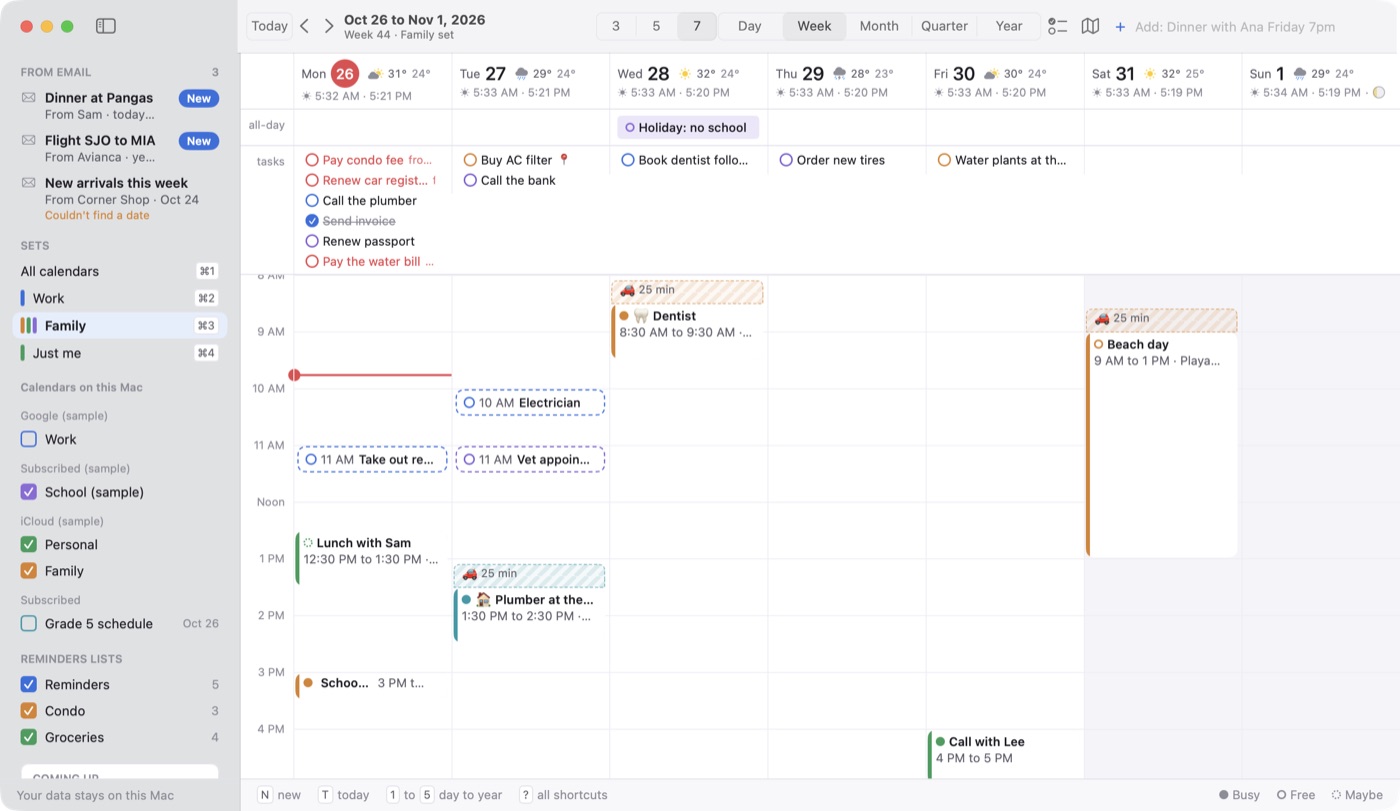
Everything in one window
iCloud, Google, Exchange and anything else already in Apple Calendar on your Mac.
Add accounts in the app
Sign in to iCloud or Google right in Dateline's Settings, if you prefer.
Works alongside Apple Calendar
An event you add or move in one shows up in the other.
Subscribe by web address
School schedules, sports fixtures and holidays. See a preview, pick a name and color, choose how often it updates and whether it alerts you.
Ready-made calendars
Costa Rica holidays in English or Spanish, US holidays, moon phases, sunrise and sunset, and Costa Rica's national football team.
Show or hide any calendar
Tick what you want to see in the sidebar. Press S to hide the sidebar itself.
Views
See your time at whatever distance helps.
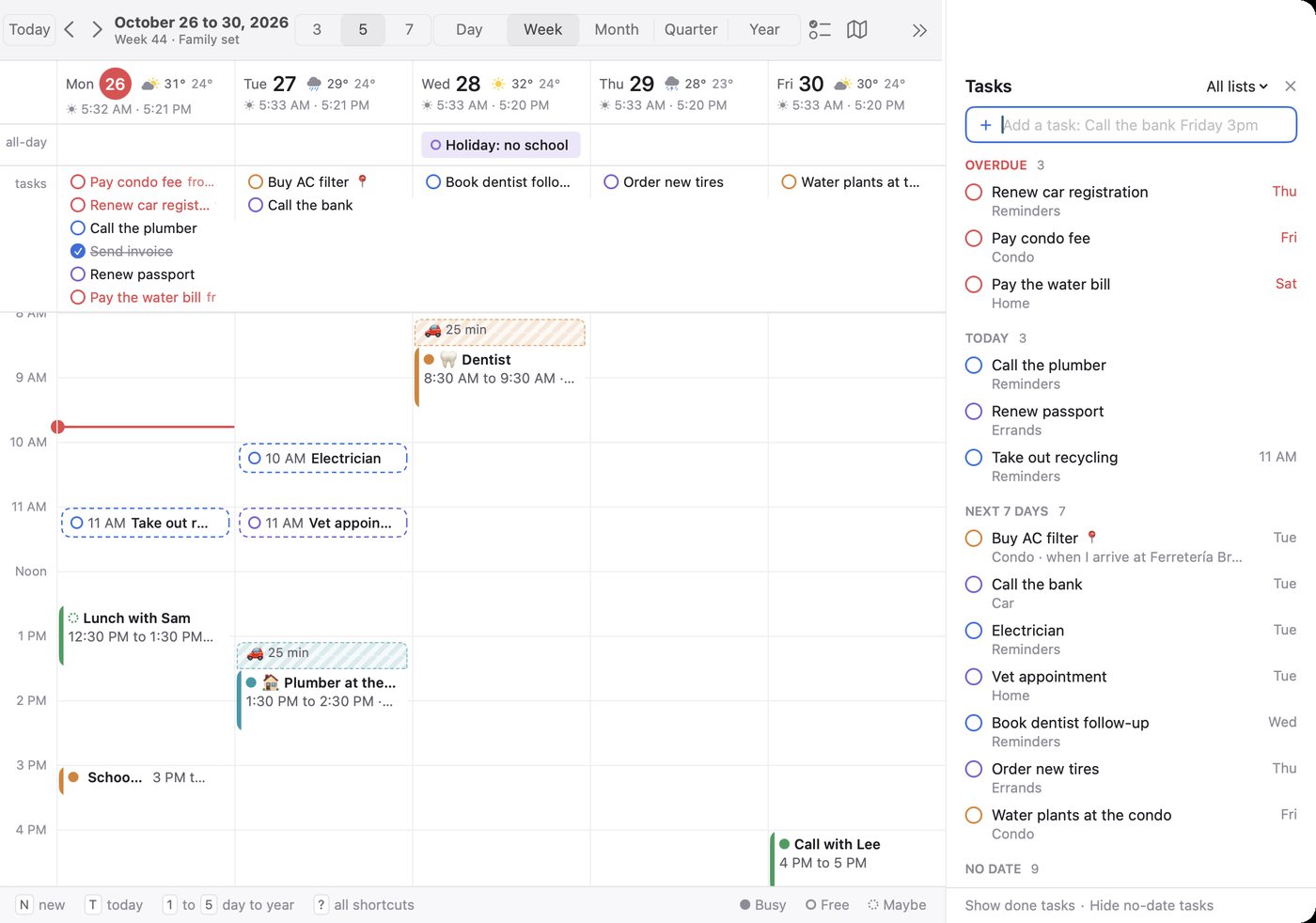
Five views, five keys
Day, week, month, quarter and year, on keys 1 to 5.
3, 5 or 7 day weeks
Choose how many days the week view shows.
Week numbers
The number of each week of the year.
Sunrise, sunset and moon
Under each day, worked out on your Mac.
Coming up card
A countdown in the sidebar to your next event and your next all-day event.
Weather on each day
The forecast on the day header for the town you pick, in Celsius or Fahrenheit.
Your working hours
Set your hours and the first day of the week, and stripe the hours outside work.
Adding events
Type it the way you'd say it.
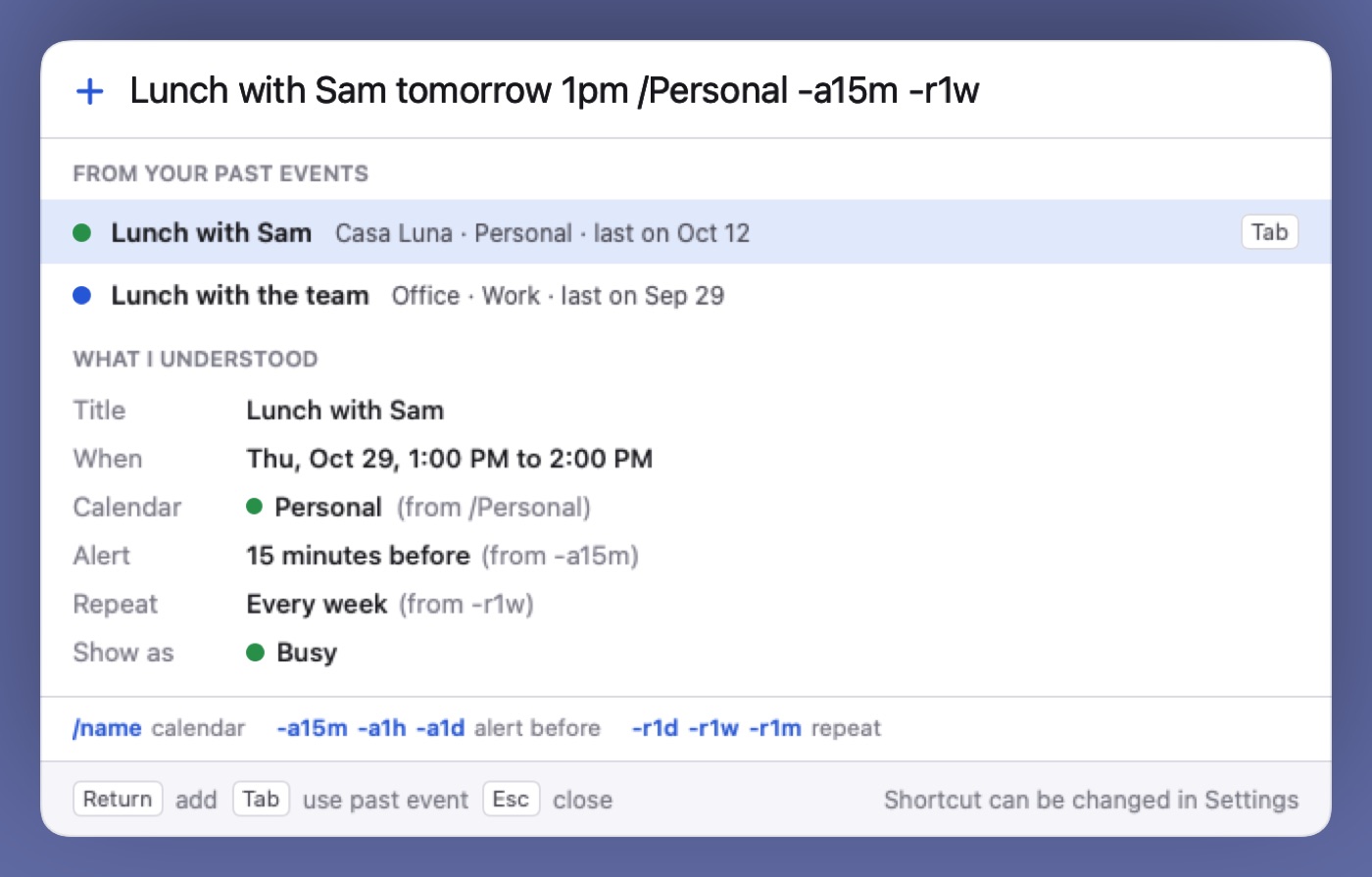
Type a sentence
“Dinner with Ana Friday 7pm at Casa Luna” fills in the title, time and place.
See what it understood
A preview shows the details before anything lands on your calendar.
Short codes
/Personal -a15m -r1w picks the calendar, sets an alert and makes it repeat.
Reuse past events
Start typing and Dateline suggests earlier events. Press Tab to reuse one.
Double-click a day
In the month or quarter view, a double-click starts a new event on that day.
Quick add from any app
Press Control Option Space wherever you are. You can change the keys in Settings.
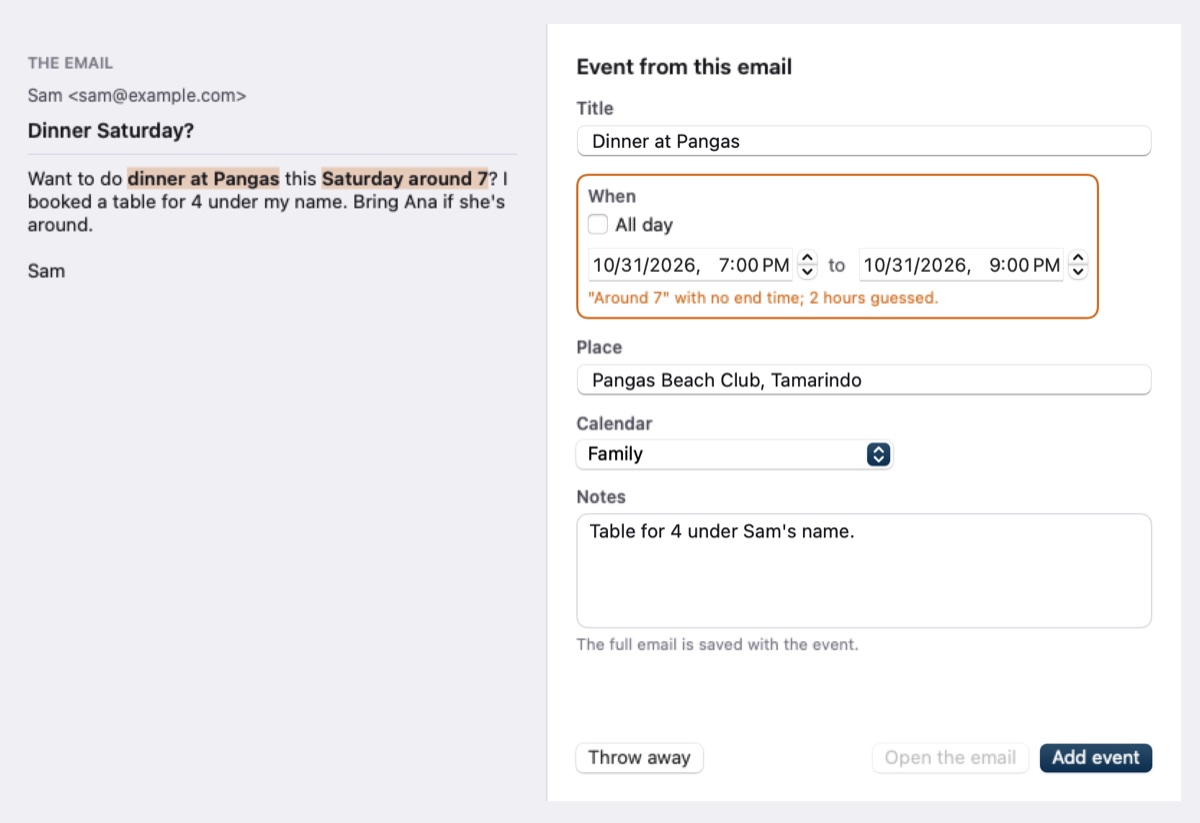
Turn an email into an event
Open a saved email and Apple's built-in AI drafts the event on your Mac. An orange outline marks anything it guessed, and nothing is added until you say so. Needs Apple Intelligence on macOS 26 or newer.
Editing
Change your mind quickly, with the mouse or without it.
Drag to move
Pick an event up and put it somewhere else, including another day in the week view.
Drag to stretch
Pull the bottom edge to make an event longer.
Option-drag to copy
Hold Option while dragging to leave the original where it is.
Nudge by 15 minutes
Option Up and Option Down move the selected event.
Undo
⌘Z takes back your last change, including a delete.
Run it from the keyboard
New event, today, next and previous, open, delete. Press ? for the full list.
Inside an event
Open any event and it's all on one panel.
Join button
Finds the Zoom, Meet or Teams link in an event. Join in one click, or copy the link.
Busy, Free and Maybe
Set how each event shows on your time.
Formatted notes
Bold, italics, links, bullet lists and checkboxes. The text reaches your calendar. The bold and italics stay on your Mac.
Attachments
Drop files onto events in iCloud or Google accounts you've added in Dateline. On Google they go to your Drive.
Organizing
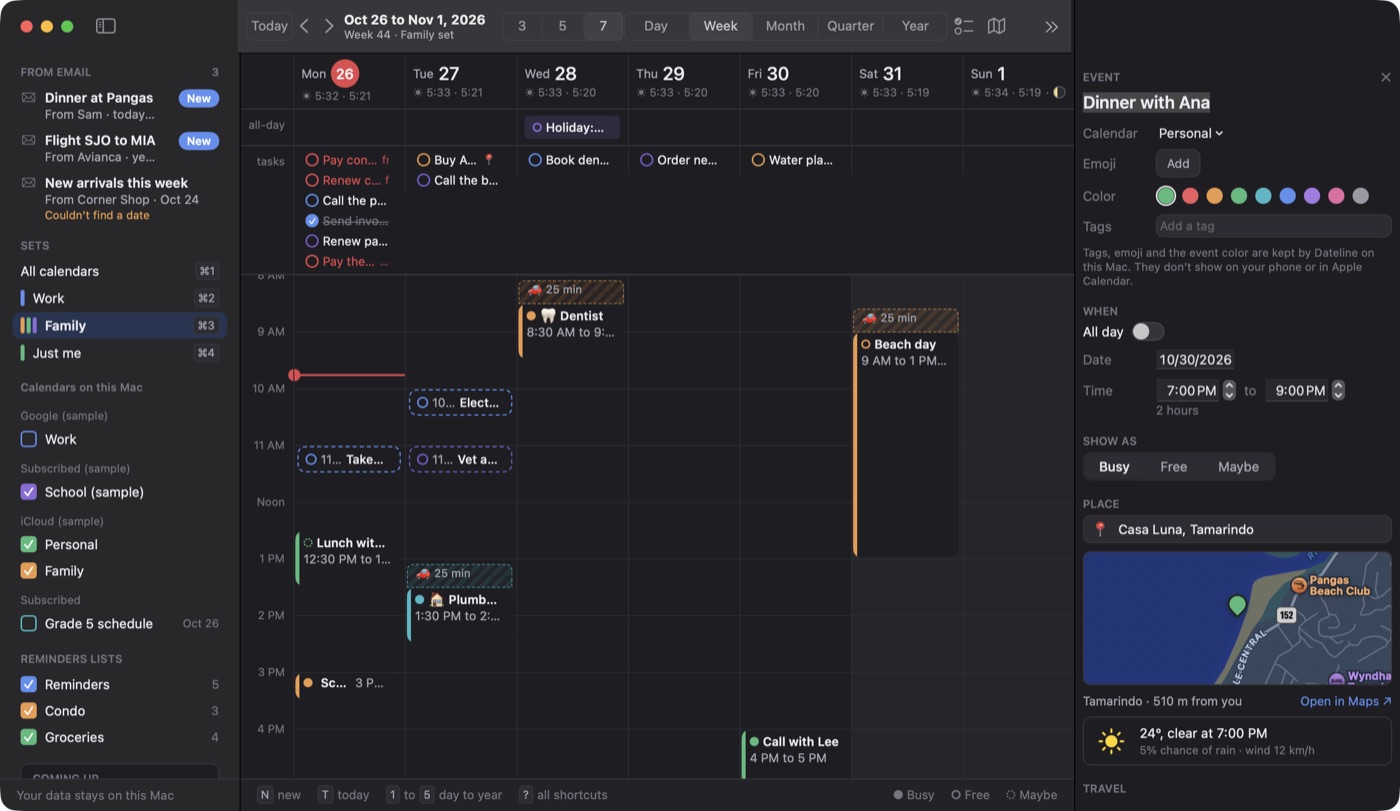
Sort your calendars, then mark up each event.
Tags, emoji and colors are kept on your Mac, so they work on invites and read-only calendars too. They don't reach your phone or Apple Calendar.Calendar sets
Work, Family, Just me. ⌘1 shows everything and ⌘2 to ⌘9 switch sets.
A default calendar per set
New events go to that set's own calendar.
Colored tags
Label events so you can tell them apart at a glance.
Emoji on events
Add one to any event.
Event colors
Give an event its own color, separate from its calendar.
Tasks
Your Apple Reminders, next to your events. Nothing new to keep up.
Reminders on your calendar
Tasks appear on their day, and your changes save back to Reminders.
Task panel
Press R for overdue, today, next 7 days and no-date tasks, grouped by list.
Pick your lists
Tick which Reminders lists show in the sidebar, or filter the panel to one list.
Unfinished tasks carry over
An overdue task shows on today until it's done.
Reminders by place
Goes off when you arrive at or leave a place, including Home and Work from your contact card.
Change a task in place
Set its date, time or list without opening Reminders.
Places and travel
Know where you're going, and when to leave. Drive times come from Apple Maps.
Drive time blocks
Shows the drive as a striped block before an event, so you see it before you book over it. It's in Dateline only, not on your calendar.
A map in each event
Any event with a place shows a map, and opens in Apple Maps.
Places fill in as you type
Apple Maps suggests the place while you type its name.
Map of your places
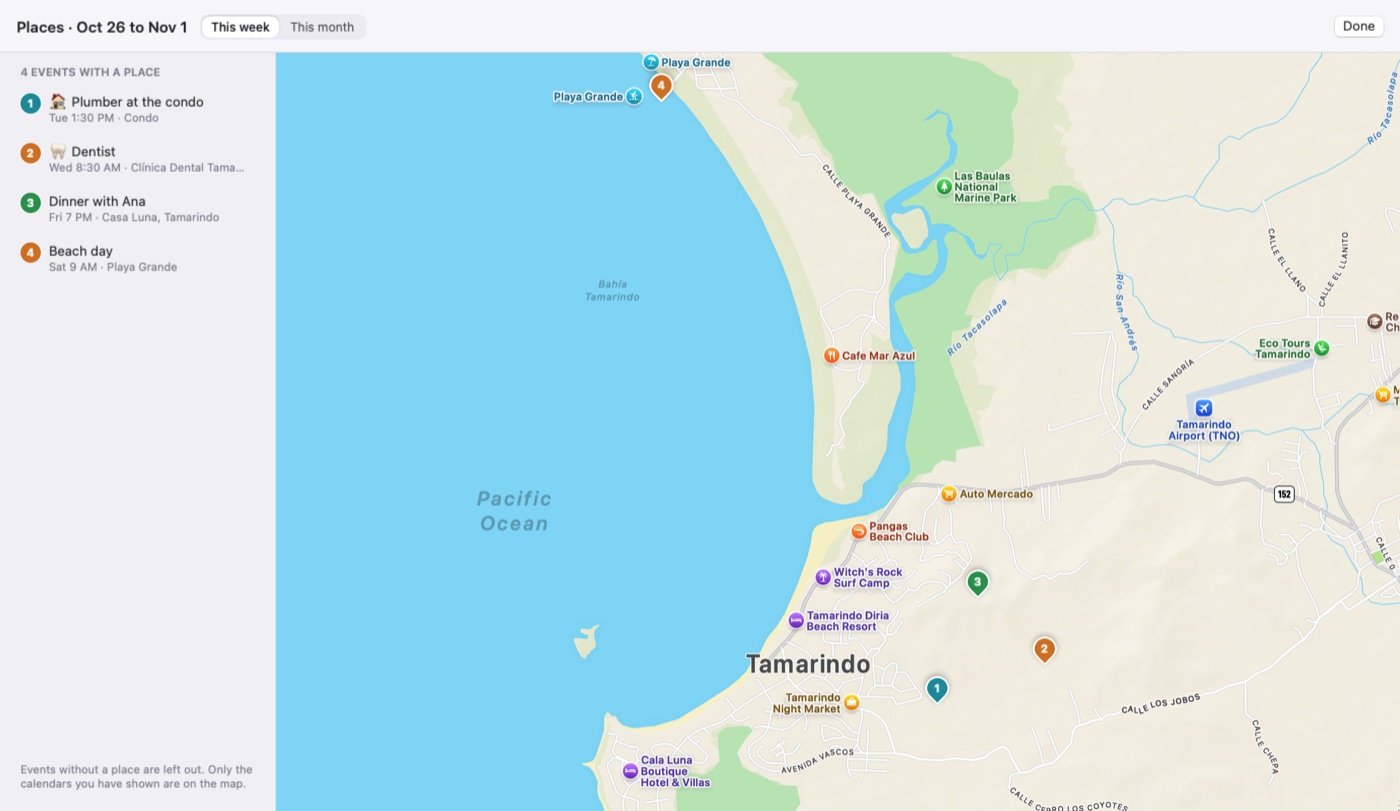
Press P for every place in the view you're on, as numbered pins in order.
Traffic counted
The drive is checked again an hour before. Start from where you are, Home, Work or your last event.
Leave alerts
Tells you when it's time to go. Turn it off for any one event.
Weather at the place
The forecast for where the event is, in its details.
Alerts, menu bar and time zones
The things that reach you when Dateline isn't the app in front.
Full screen alert
Covers the screen when an event starts, or 1 or 5 minutes before, for the calendars you choose. All-day events never do.
One key to respond
On the alert, J joins, S snoozes 5 minutes, O opens the event and Esc closes it.
Your choice of sounds
A sound of your own for events, tasks, leave alerts and the full screen alert, or no sound.
Menu bar icon
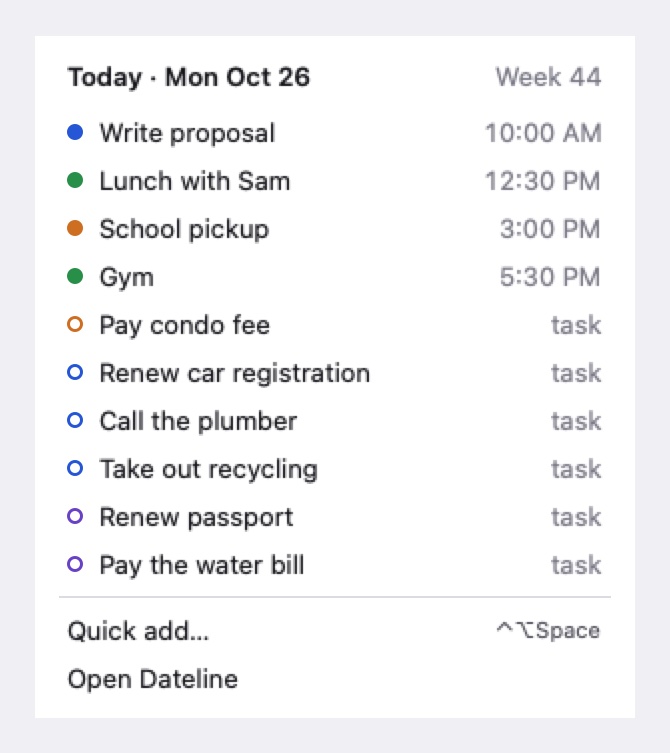
Shows today's date, the day and date, the week number or what's next.
Menu bar menu
Today's events and tasks, plus quick add, without opening the full window.
Extra time zones
Keep up to six in the sidebar, with nicknames like “Mom”.
The look
Make it comfortable for your eyes and your screen.
Try the settings here. This calendar is a small drawing of the real one.Light or dark
Follow your Mac, or pick one and keep it.
Fonts
Text size
Small to large, on a slider.
How packed
Roomy, normal or compact. Compact fits 8 AM to 6 PM on screen without scrolling.
Hour height
Short, medium or tall hours in the day and week views.
AI and privacy
Your events stay in the calendars they already live in, and nothing comes to me.
Works with the Claude app
Claude can look at your events, add new ones and change existing ones. It can't delete anything.
It asks you first
It's off until you turn it on. Adding or changing an event then needs your yes, unless you set that to always or never.
You pick what it sees
A calendar you leave out stays out.
See what it did
A log of each change Claude made, with Undo.
No server of its own
Dateline reaches out only to the accounts and calendars you connect, Apple Maps, a weather service and its update check.
Updates in the app
Use Check for Updates, or have it check every day and install without asking.