Know when to leave, not just when it starts.
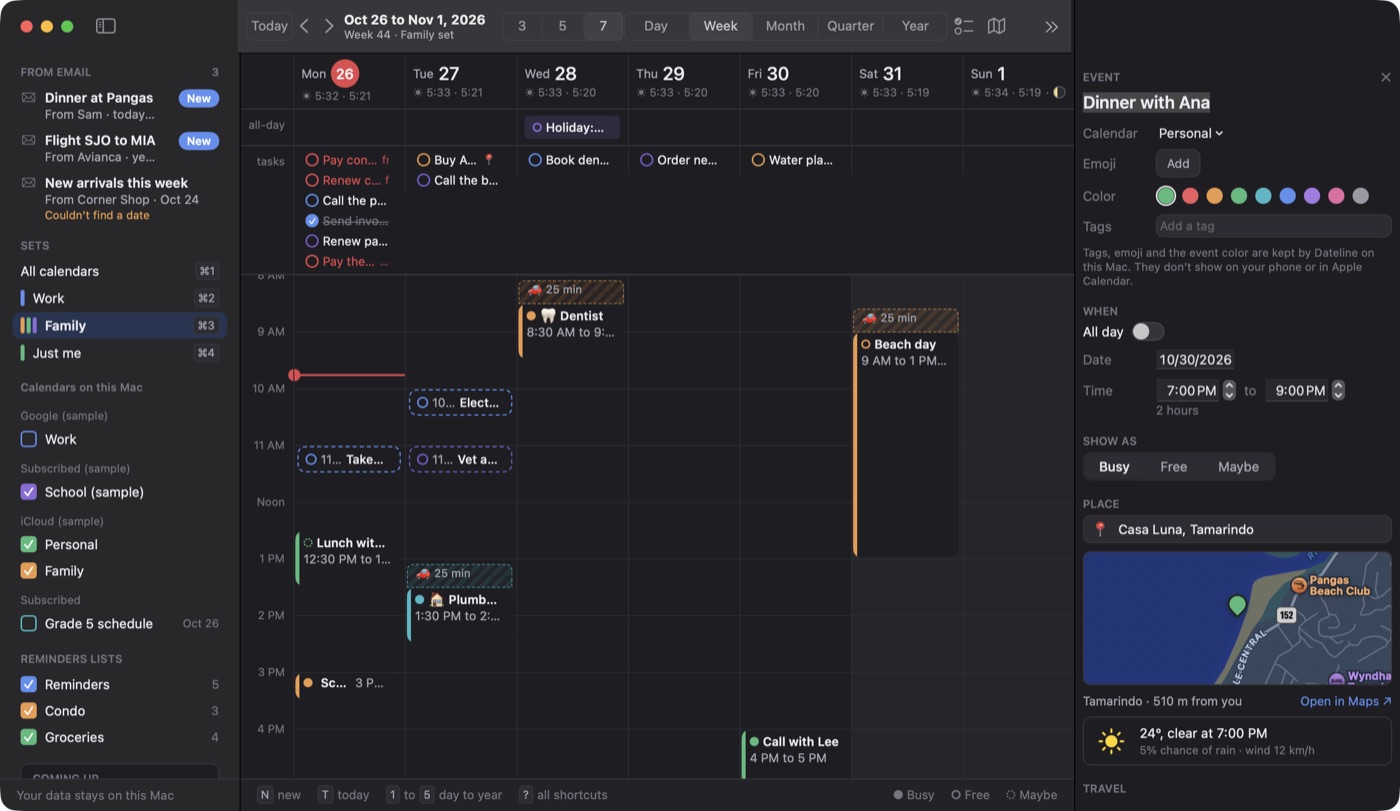
Add a place and Dateline blocks the drive before the event, using the drive time from Apple Maps. Then it tells you when to go. Scroll and watch Friday evening play out.
Drawn example. The real app shows an Apple Maps map in the event's details, below.
Dateline's alert fills the screen, so you can't miss it.
Pick the calendars that matter. When one of their events starts, Dateline takes over the screen, with one key to join, snooze or close.
Everything you wish your calendar did, in one app.
I went through 107 features across nine popular calendar apps and built the ones you'd use every day into Dateline. On the calendars you already have.
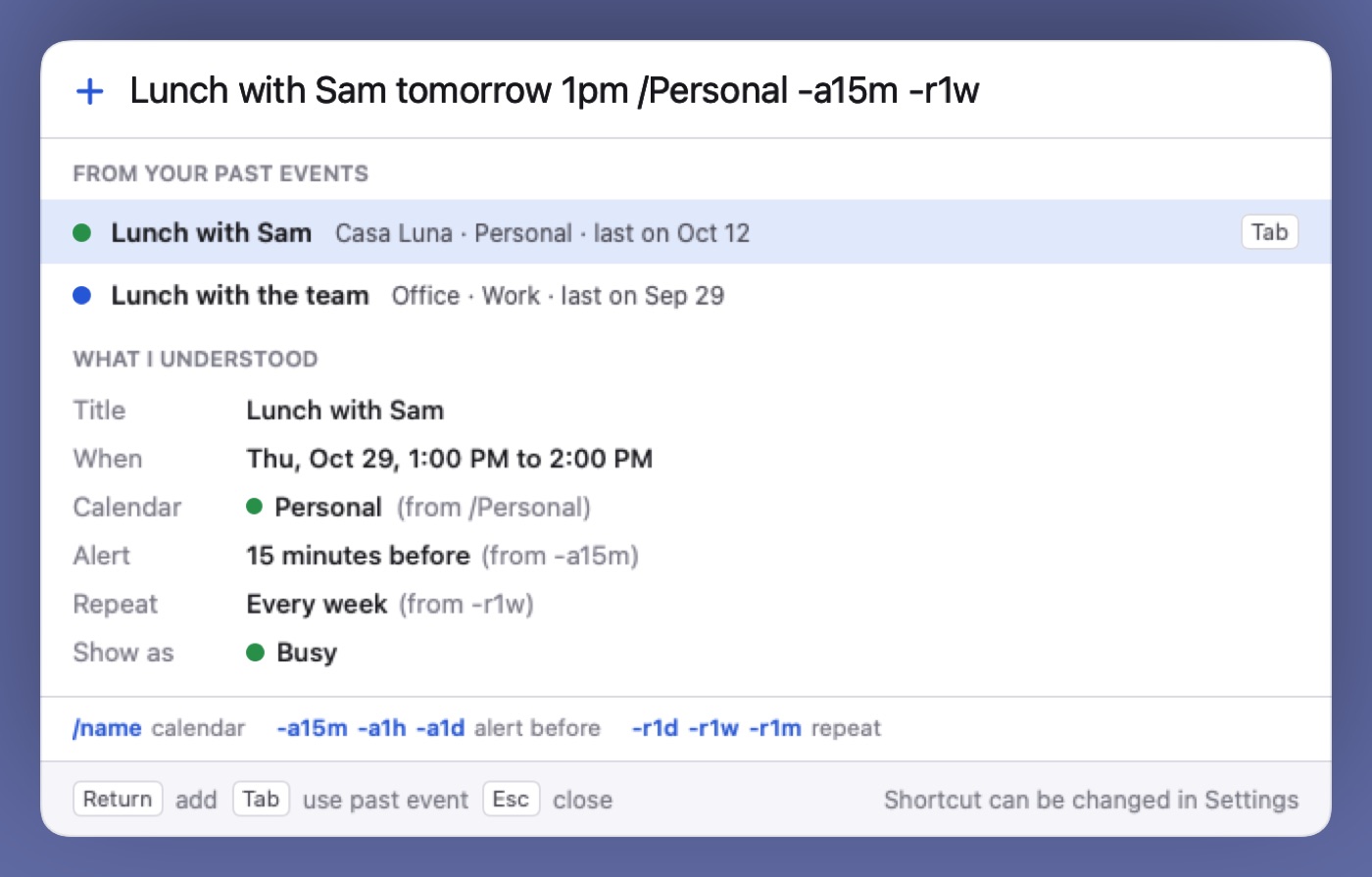
Type a sentence, get an event
“Dinner with Ana Friday 7pm at Casa Luna” fills in the title, time and place.
Calendar sets
Work, Family, Just me. Switch with ⌘1 to ⌘9.
Leave alerts
Tells you when to go, using the drive time from Apple Maps.
Reminders by place
A reminder that goes off when you arrive or leave, including Home and Work from your contact card.
See what it understood first
A preview shows the details before anything lands on your calendar.
Reuse past events
Start typing and Dateline suggests earlier events. Press Tab to reuse one.
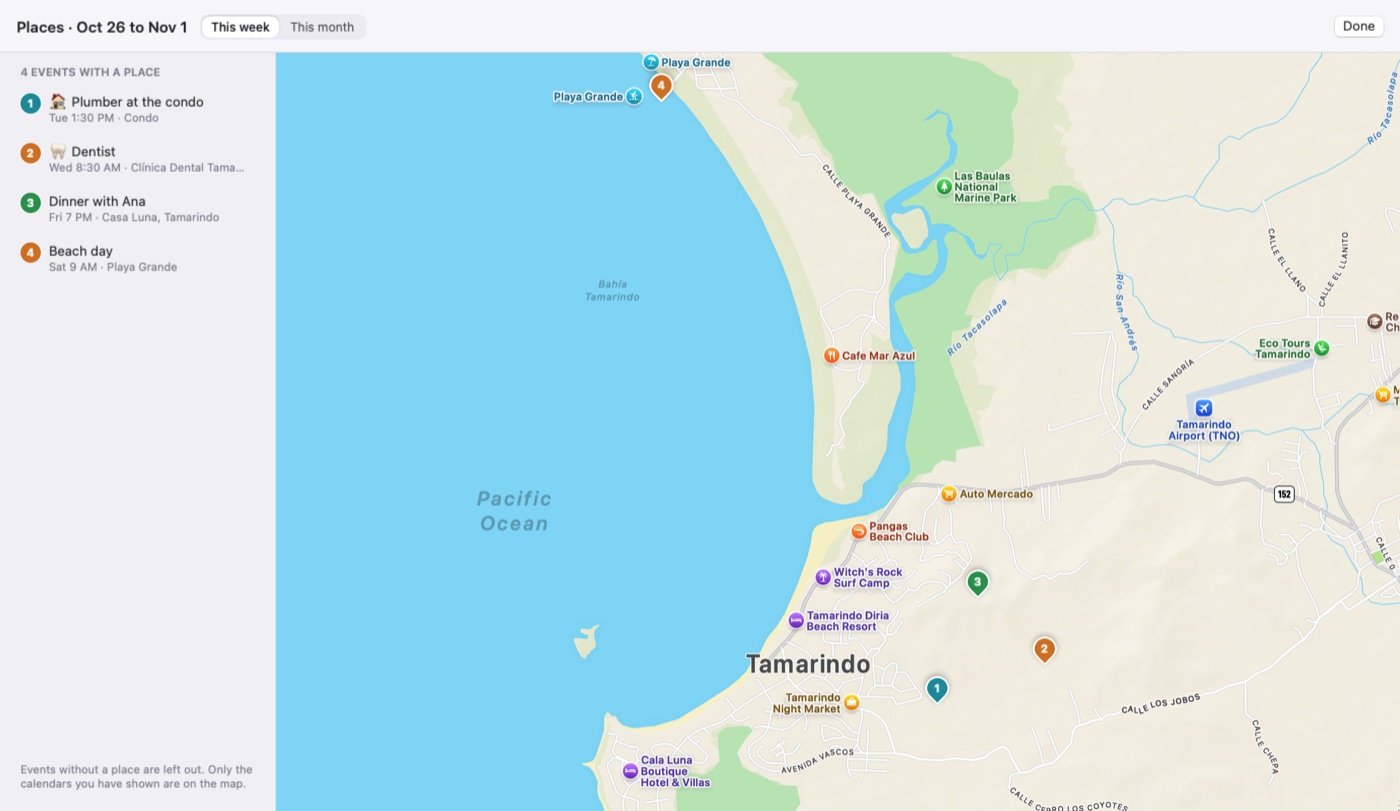
Map of your places
Every place in your week or month on one map. Press P.
Sunrise, sunset and moon
Under each day, along with a countdown to what's next.
Full screen alert
Covers the screen for the calendars you choose, so a meeting can't slip past.
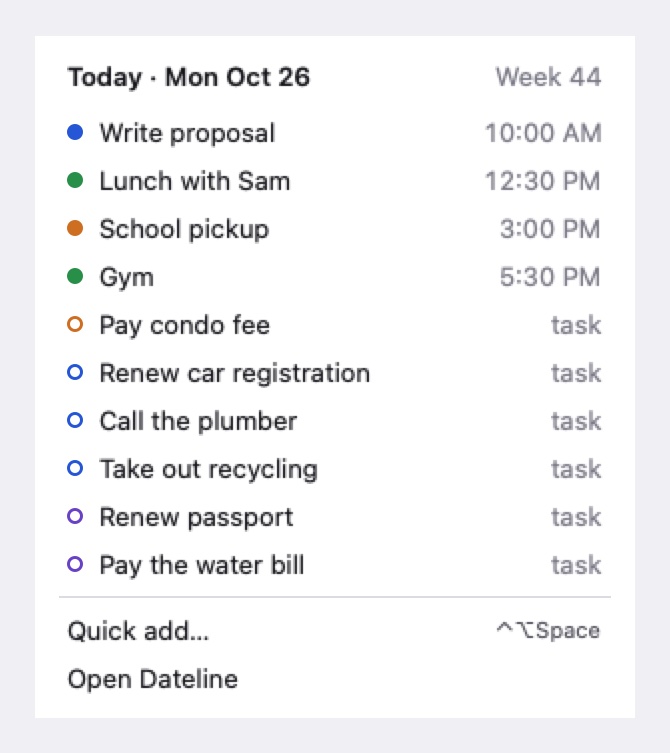
Menu bar calendar
Your next event in the menu bar, with today's events, tasks and quick add.
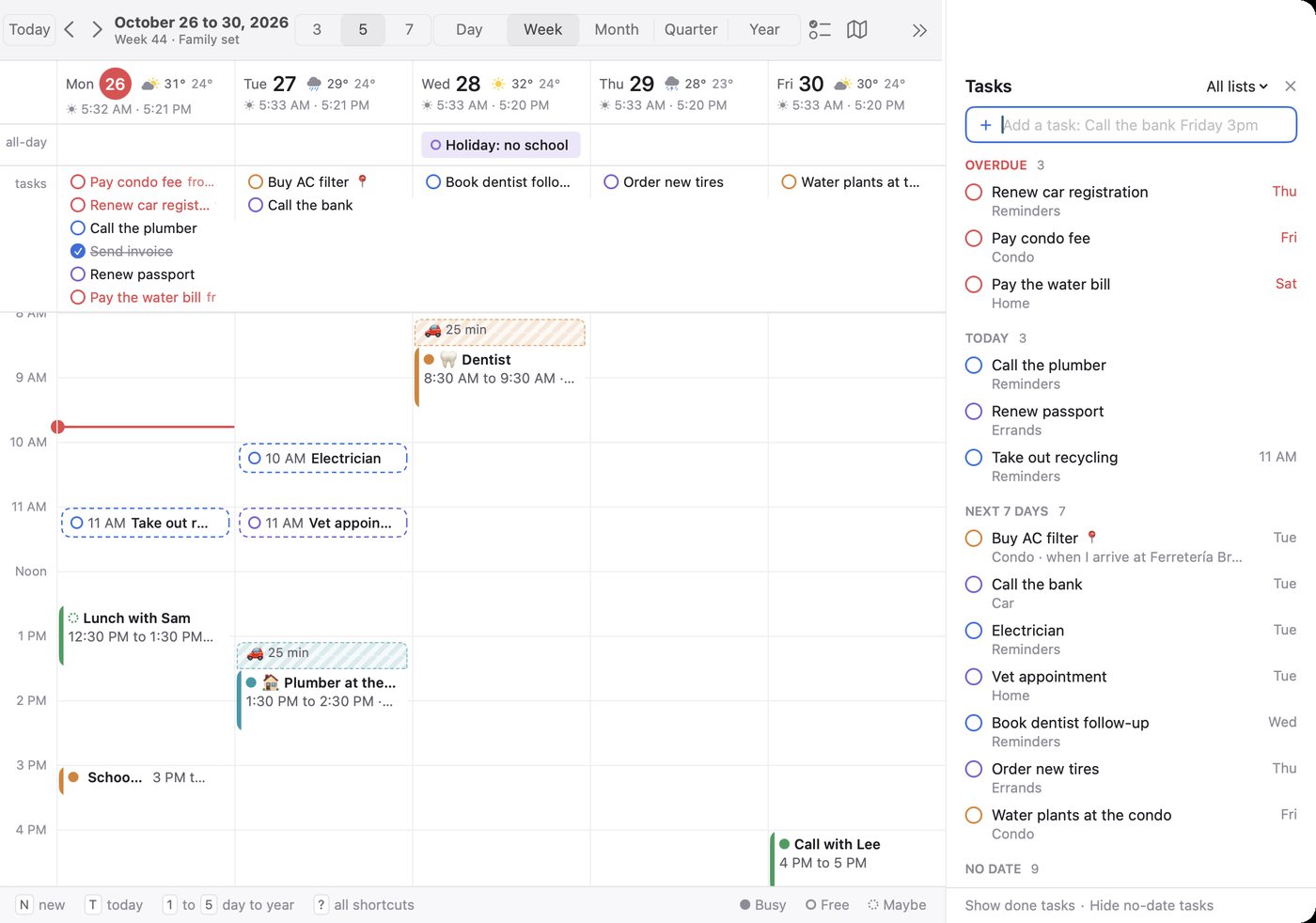
Your Reminders, next to your events
Tasks and events in one place, and changes save back to Reminders.
Short codes
/Personal -a15m -r1w picks the calendar, sets an alert and makes it repeat.
Extra time zones
See another time zone next to your own.
Week numbers
The number of each week of the year.
Join button
Join a Zoom, Meet or Teams call from the event.
Drive time blocks
Shows the drive as a striped block before an event, so you see it before you book over it.
Colored tags
Label events with a colored tag, so you can tell them apart at a glance.
Day to year in one keystroke.
Day, week, month, quarter and year sit on keys 1 to 5. Try them here.
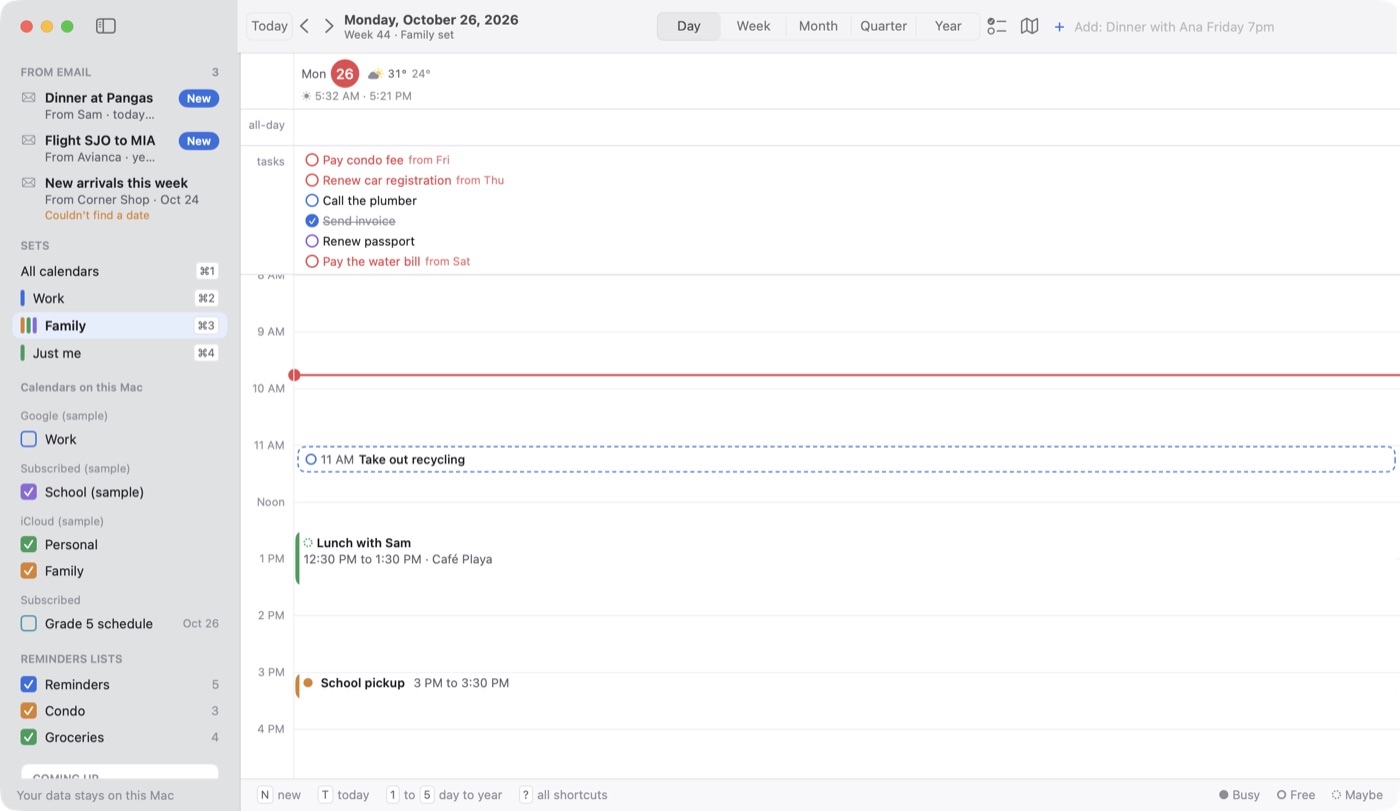
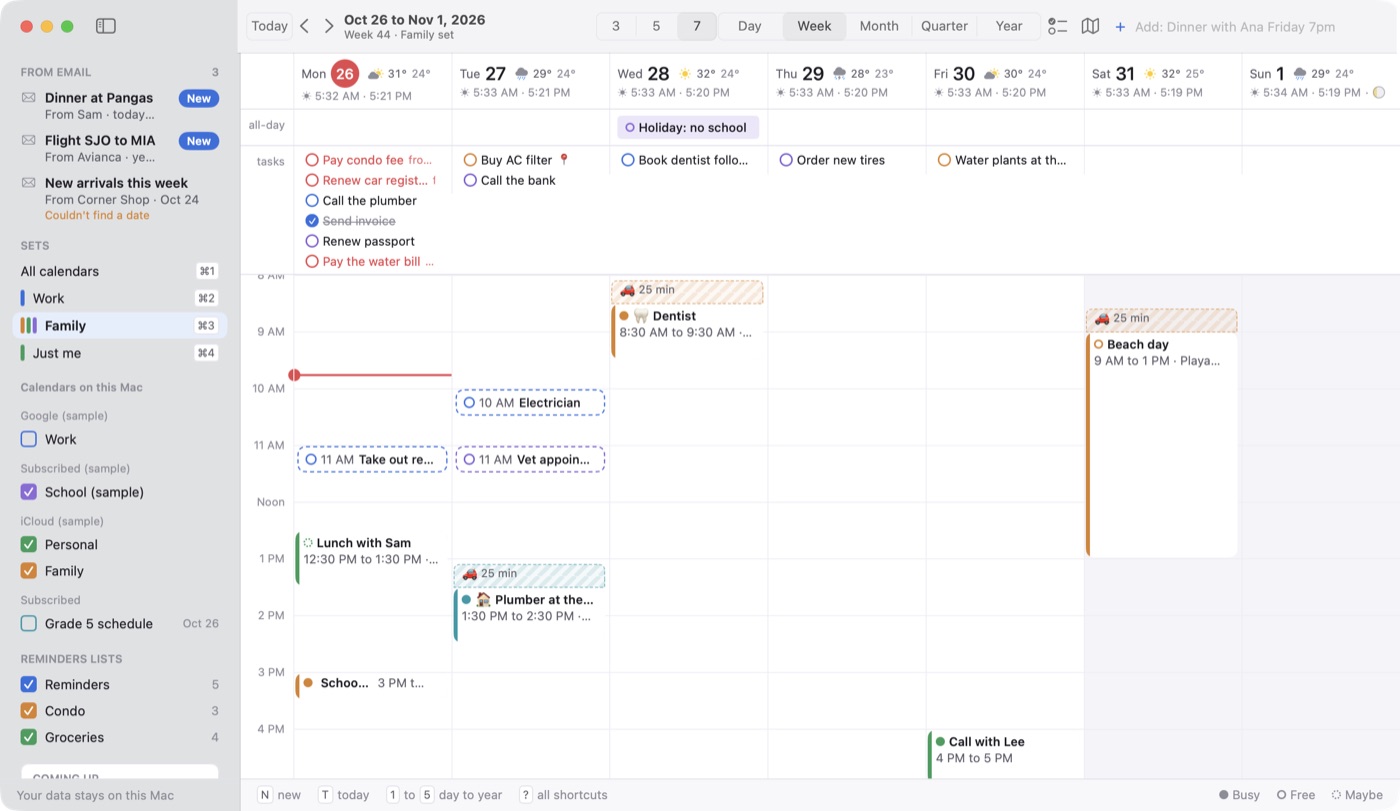
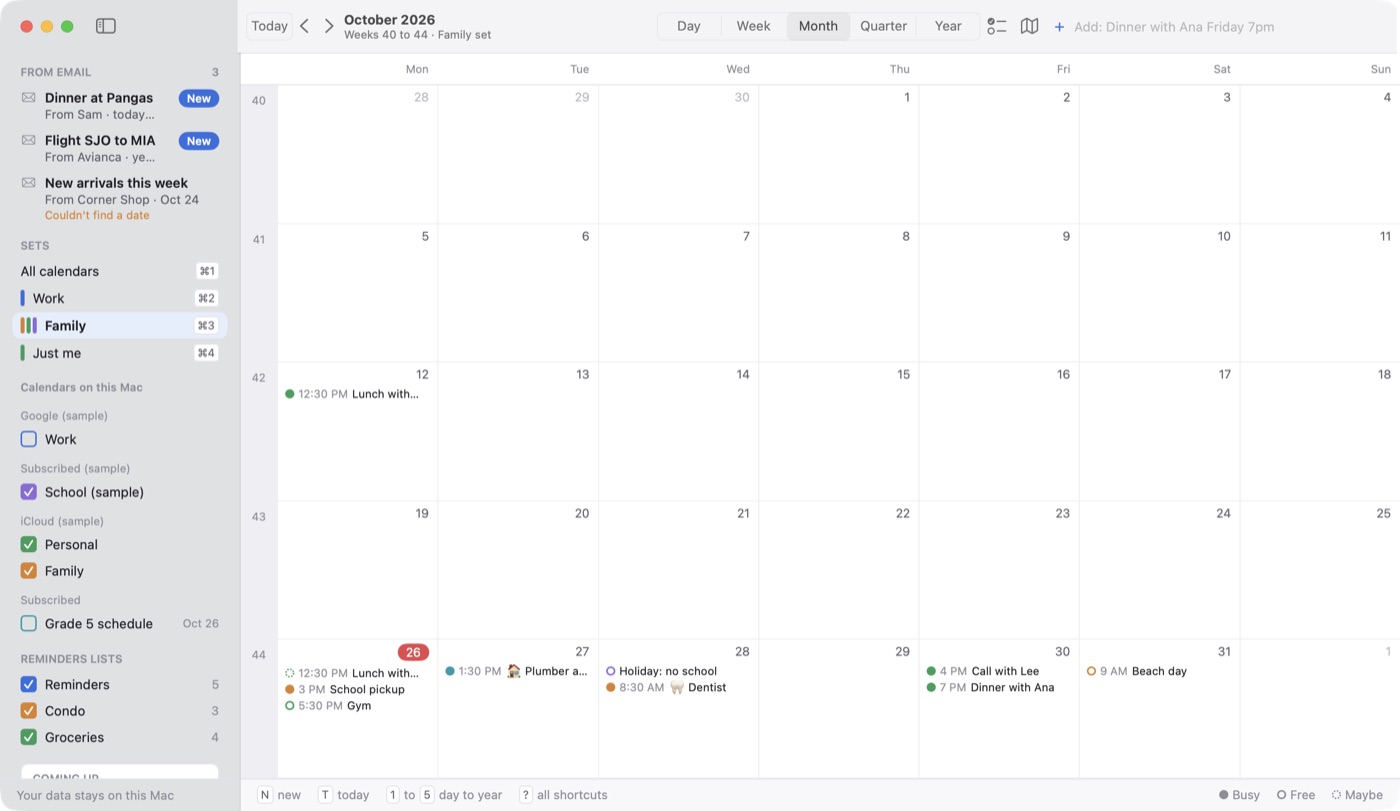
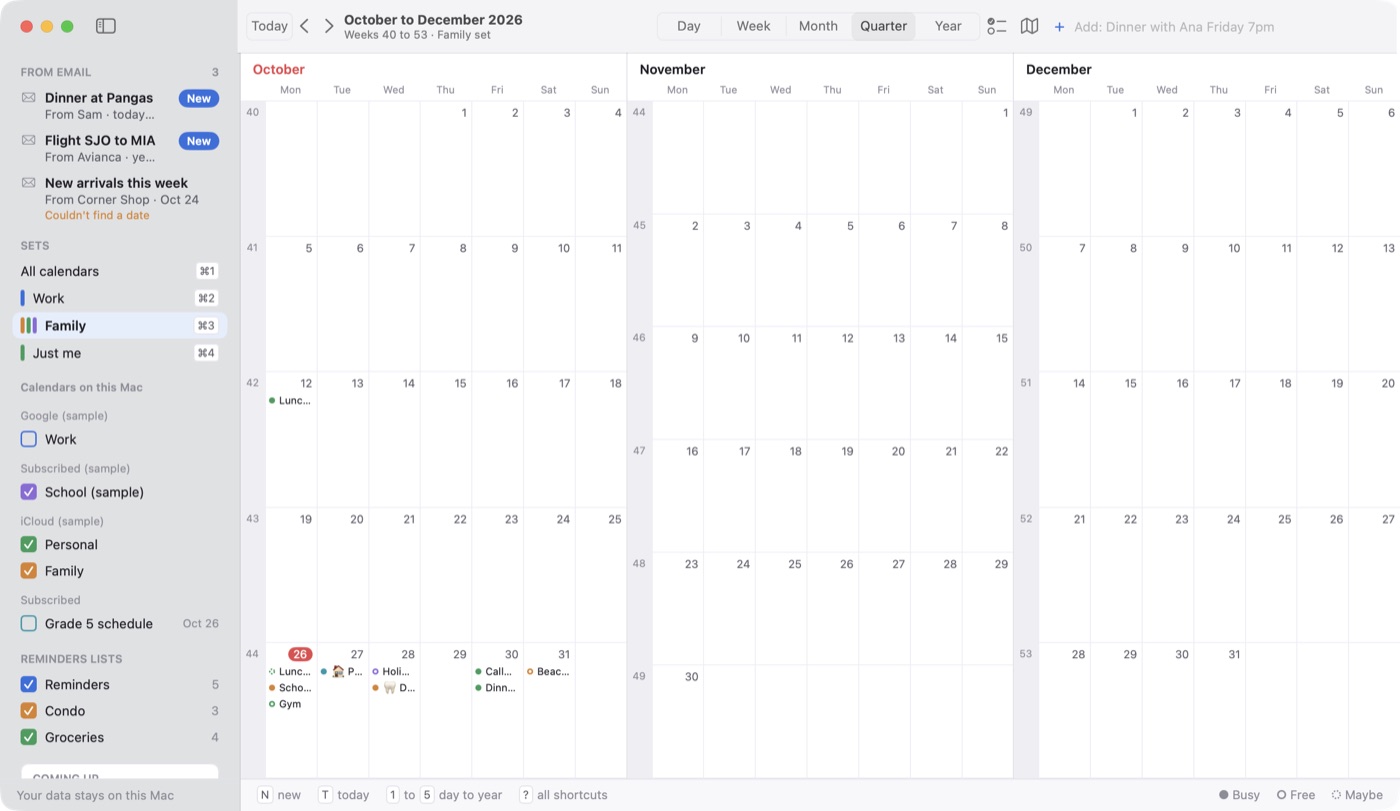
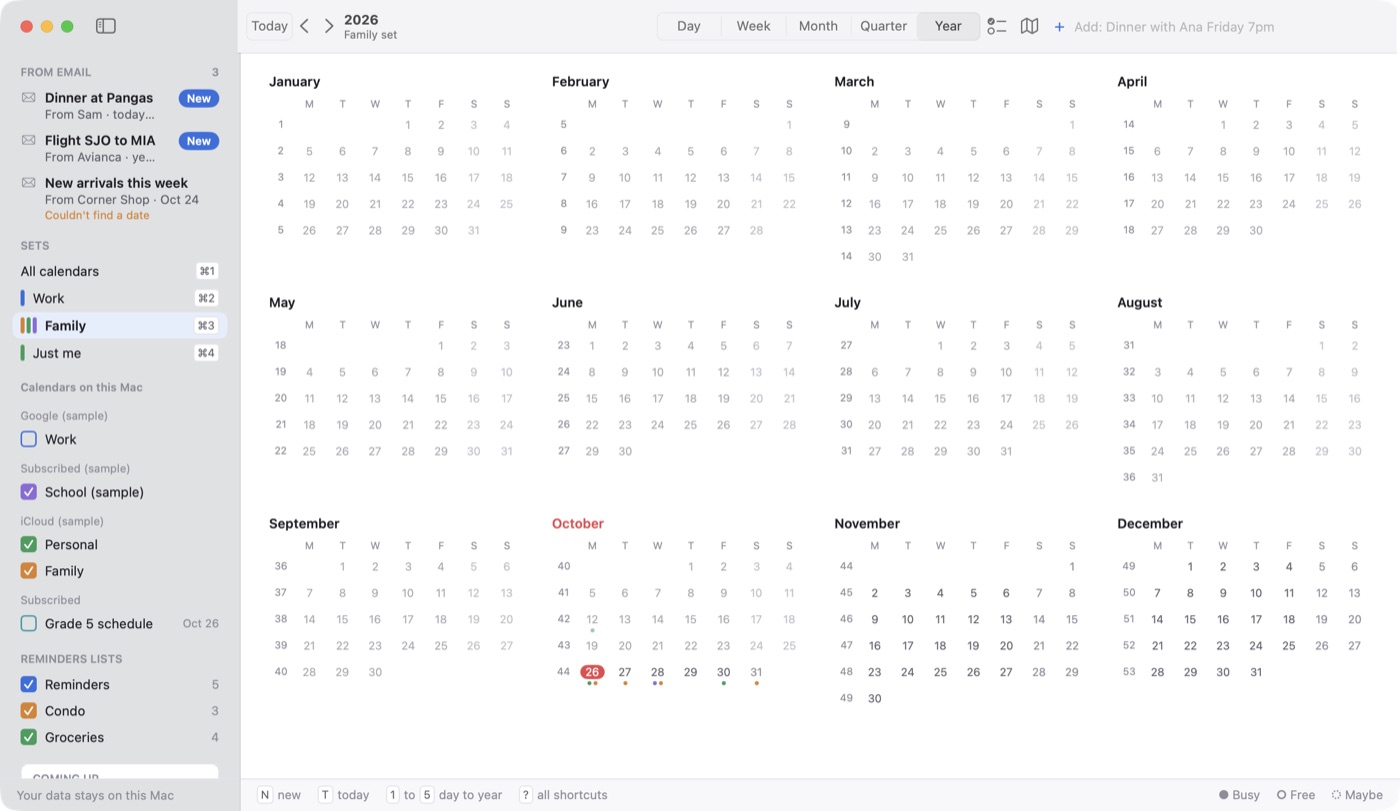
Work week or family week. One key apart.
Group calendars into sets and switch with ⌘1 to ⌘9. New events go to that set's own calendar. Try the sample sets here.
SETS
Add an event from any app.
Press Control Option Space wherever you are. Type the sentence, press Return, and you're back to what you were doing. Short codes go further: /Personal -a15m -r1w picks the calendar, sets an alert and makes it repeat.
Your Reminders, on your calendar.
Apple Reminders appear next to your events, and changes save back to Reminders. Press R for a panel of overdue, today, next 7 days and no-date tasks.
See your week on a map.
Press P. Every event with a place gets a numbered pin, in order, so you can see how the week's trips fit together. One click switches to the whole month.
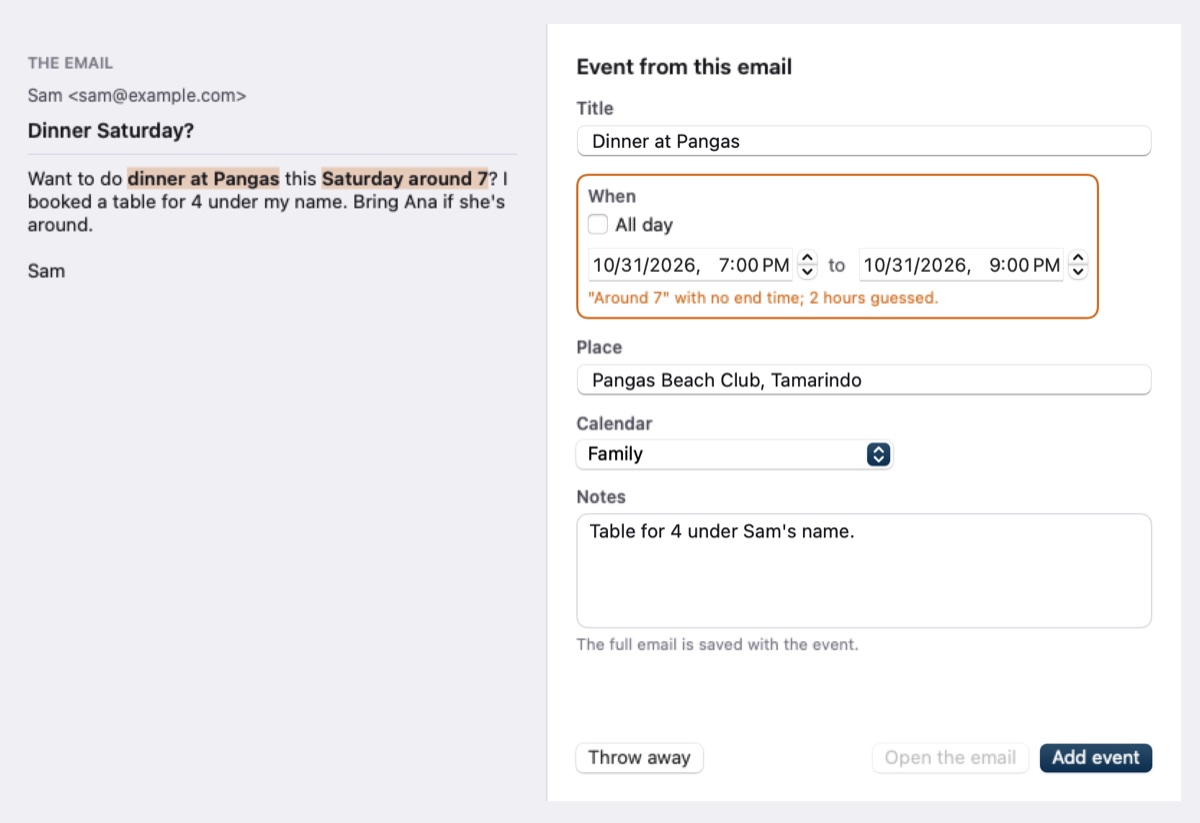
Turn an email into an event.
Open a saved email from Dateline's File menu, and Apple's built-in AI fills in the event, right on your Mac. It marks the words it used and flags anything it had to guess, so you check before adding. This one needs Apple Intelligence turned on.
Your next event, always in sight.
Your next event can sit right in the menu bar. Click it for today's events and tasks, or to add something new, without opening the full window.
Pay once. Nothing renews.
Three years of Fantastical Premium costs $171. Dateline costs $29.99, once.
Prices from each app's own site on November 3, 2026. Fantastical also has a free version with fewer features. Apple Calendar comes with your Mac, Notion Calendar and Itsycal are free, and Calendar 366 is a free download with paid extras.
Do I need a new account?
No. Dateline works with what's already set up on your Mac: iCloud, Google, Exchange and anything else in Apple Calendar. You can also add your iCloud and Google accounts directly in Dateline.
Where does my data go?
Your events stay in the calendars they already live in, and nothing comes to me. Dateline has no server of its own. Apart from the calendars and accounts you connect, it reaches out only to Apple Maps for drive times, a weather service for forecasts, and its update check.
Is there an iPhone app?
Not yet. An iPhone version of Dateline is coming soon. Until then, your events still reach your phone through the calendars they're on. Tags, emoji and event colors stay on the Mac.
Can I try it first?
Yes. Download Dateline and use it free for 7 days. If you like it, buy it for $29.99 to keep going.
Can I keep using Apple Calendar?
Yes. Dateline uses the same calendars, so an event you add or move in one shows up in the other.
Is it a real Mac app?
Yes. It's built with Apple's own tools for the Mac, not a web page in a window, and it follows your Mac's light and dark look.
What do I need to run it?
A Mac with macOS 14 (Sonoma) or newer. Turning an email into an event also needs Apple Intelligence on macOS 26 or newer. Updates arrive through Check for Updates in the app.